
3 prompts found for "Kuthuvilakku"
Clear search
All AI Prompts
Showing 3 templates
Traditional & Temple
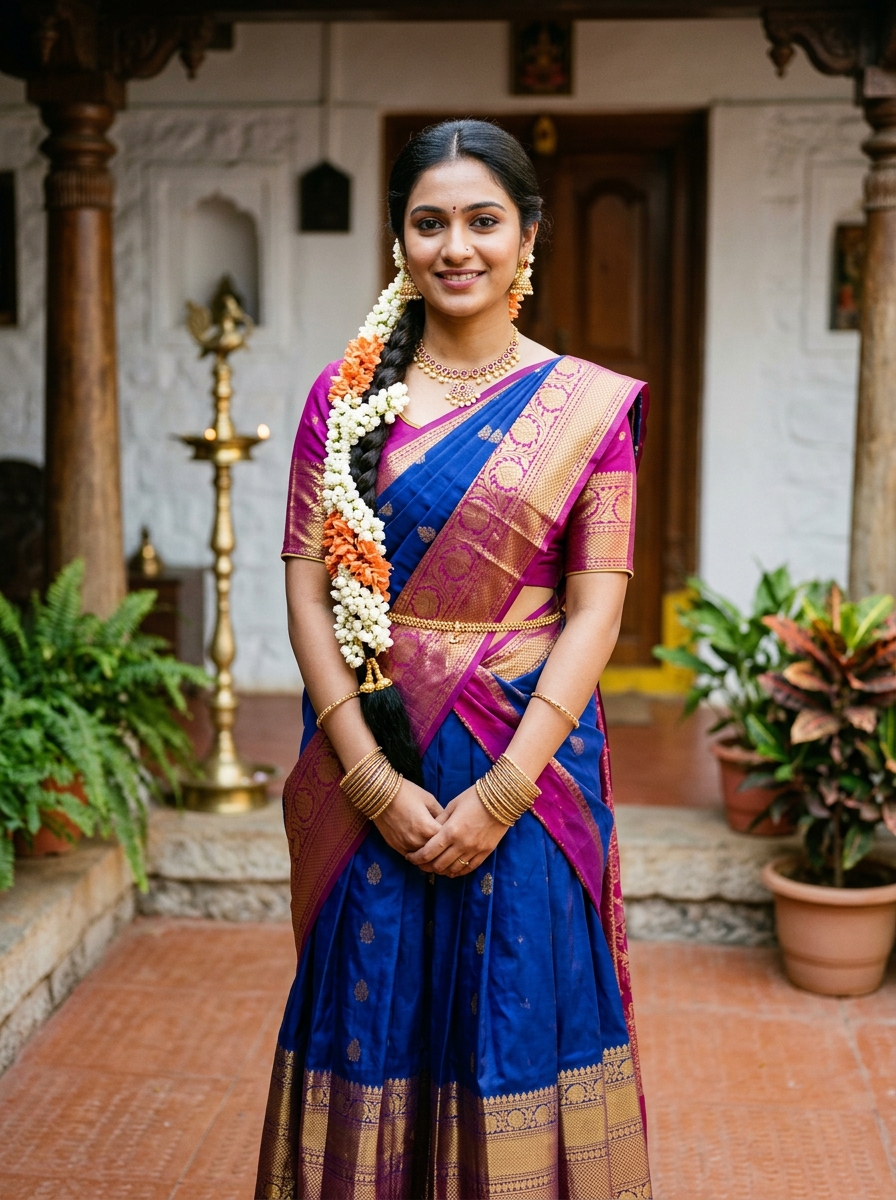
South Indian Traditional Girl AI Photo Editing Prompt
Candid South Indian heritage morning scene carefully lighting an ornate brass kuthuvilakku oil lamp in a sunlit open courtyard.
Transform the young woman in the uploaded reference photo into this authentic traditional South Indian narrative morning scene with strict facial identity preservation. Retain her exact facial structure, eye shape, nose contour, natural skin tone, smile, and recognizable personality with complete photographic fidelity.
[SCENE & ACTION]
She is captured in a graceful candid moment kneeling gently beside a tall, ornate standing brass kuthuvilakku (five-wick oil lamp) in an open heritage courtyard (illam thinnai), carefully holding a small brass diya to light the wick. Her face is softly illuminated by the warm golden glow of the lamp flame with a serene, joyful expression.
[OUTFIT & STYLING]
She is wearing a traditional South Indian royal blue and magenta silk half-saree (pattu pavadai dhavani) featuring rich golden zari borders and woven buttis, with a contrasting magenta silk dhavani draped over a zari-sleeved blouse. Adorned with authentic gold jewellery: a ruby-embedded gold choker, jhumka earrings, a gold waist chain (ottiyanam), and thin glass bangles. Her dark hair is braided in a long traditional thick plait (jada) decorated along its entire length with fresh white jasmine (malligai) and orange crossandra (kanakambaram) flowers.
[ENVIRONMENT & LIGHTING]
Heritage courtyard with carved teakwood pillars, brass pooja vessels, fresh floral rangoli (kolam) on the floor, and potted thulasi plant. Warm morning daylight fills the scene from above while the oil lamp casts soft flickering amber reflections across her hands and face.
[REALISM]
Photorealistic 85mm documentary portrait realism, authentic skin pores, sharp focus on eyes, hands, and lamp flame, natural depth of field. Vertical 4:5 framing. Negative constraints: no blurred face, no altered facial proportions, no plastic skin, no extra limbs, no AI artifacts.
Wedding

Tamil Wedding Couple Gemini Photo Editing Prompt
Traditional Tamil bride and groom in Kanchipuram silk, pattu veshti, and wedding garlands in a mandapam.
Transform the couple in the uploaded reference photo into an authentic traditional Tamil wedding couple with strict dual-facial identity preservation. Preserve both the bride's and groom's exact facial structures, natural smiles, eye shapes, and authentic skin tones without alteration.
Bride Styling: Dressed in a rich temple-maroon and golden zari bridal Kanchipuram silk saree with intricate maggam blouse, adorned with traditional antique temple jewellery (Lakshmi Haram, choker, maang tikka, jhumkas, and gold bangles), with hair in a neat jasmine-encircled plait.
Groom Styling: Wearing a traditional South Indian pure cream silk shirt (pattu sattai) and matching cream silk dhoti (pattu veshti) with golden zari borders, and a silk angavastram draped over the shoulder. Groom has a neat traditional look with a subtle sandalwood mark on forehead.
Pose & Garlands: Standing close together in the wedding mandapam with happy, affectionate smiles, both wearing thick traditional South Indian wedding flower garlands (rose and jasmine maalai).
Environment & Lighting: Opulent wedding mandapam background with brass kuthuvilakku lamps, marigold and tuberose floral pillars, and warm festive wedding illumination. 85mm dual-portrait realism, vertical 4:5 framing. Negative constraints: no distorted faces, no mismatched identity, no extra limbs, no AI artifacts.
Girls
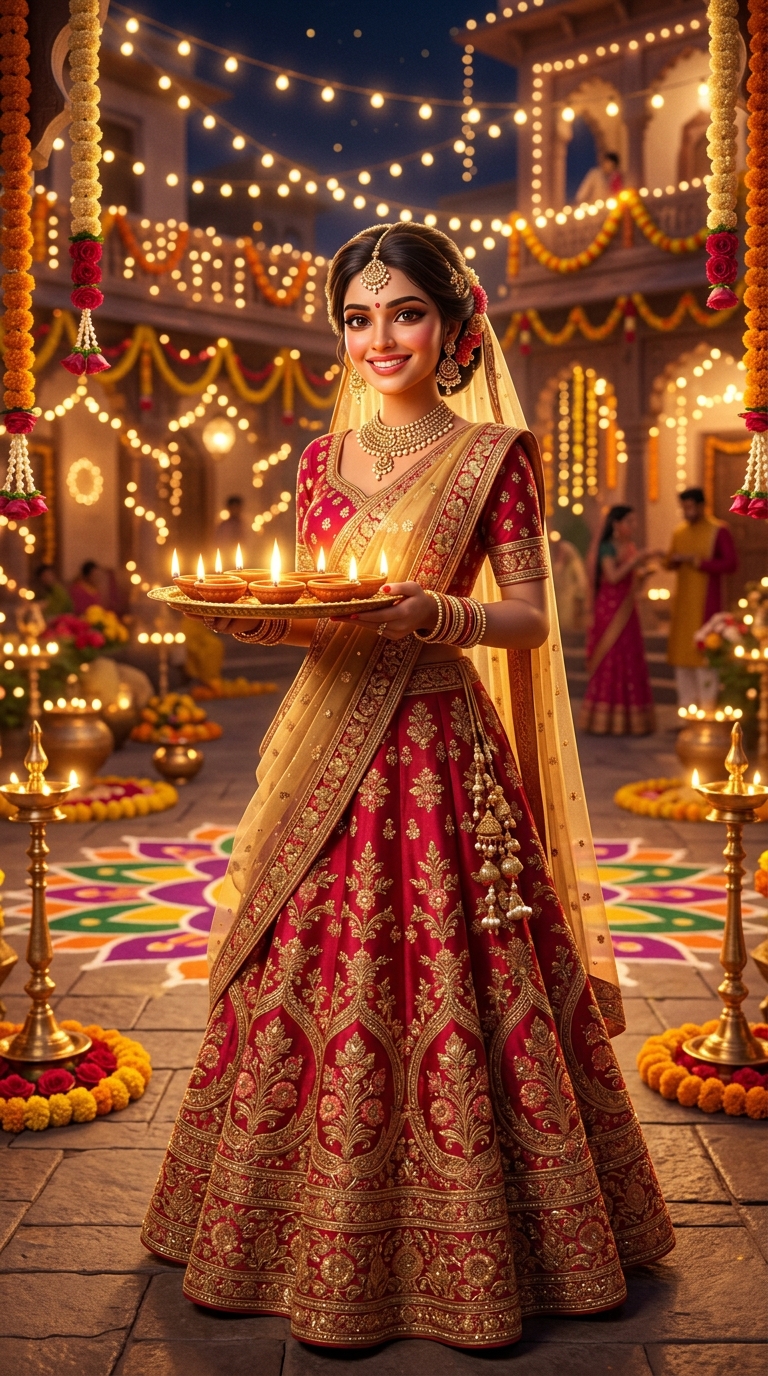
Diwali Festive Royal Lehenga AI Photo Prompt for Girls
Grand Diwali festive double-portrait poster with an oversized radiant close-up in the upper background and a full-body ruby-red lehenga stance in the foreground with golden festival typography.
A grand Diwali festive cinematic double-portrait poster featuring the female subject from the uploaded reference photo with 100% strict facial identity preservation. Lock her recognizable facial bone structure, natural smile, eye shape, nose, and authentic skin tone with festival poster fidelity.
[COMPOSITION & LAYERING]
- Background Layer: An oversized, radiant close-up portrait of the woman's face occupying the upper-right section. Warm golden diya candlelight flickers across her smile, kohl-rimmed eyes, and intricate Kundan jhumkas. The portrait softly blends into deep crimson shadows and floating golden sparkles.
- Foreground Layer: A full-length graceful view of the EXACT SAME WOMAN standing in the lower-left foreground in an opulent ruby-red raw silk lehenga with intricate golden zari floral embroidery and sheer net dupatta, gently holding an ornate brass diya.
- Grounding: Polished courtyard floor reflecting golden lantern light.
[BACKGROUND & GRAPHIC DESIGN]
Decorated royal palace courtyard with illuminated string fairy lights, vibrant marigold rangoli motifs, brass kuthuvilakku lamps, and elegant golden typography reading "DIWALI" with the festive sub-line: "FESTIVAL OF LIGHTS & PROSPERITY."
[LIGHTING & COLOR]
Warm golden candlelight key illumination, deep ruby-red and antique gold jewel tones, ultra-sharp detail, vertical 3:4 framing. Negative constraints: no distorted diya flames, no duplicate fingers, no warped jewelry, no plastic skin, no text errors.