
1 prompt found for "Diya Portrait"
Clear search
All AI Prompts
Showing 1 template
Traditional & Temple
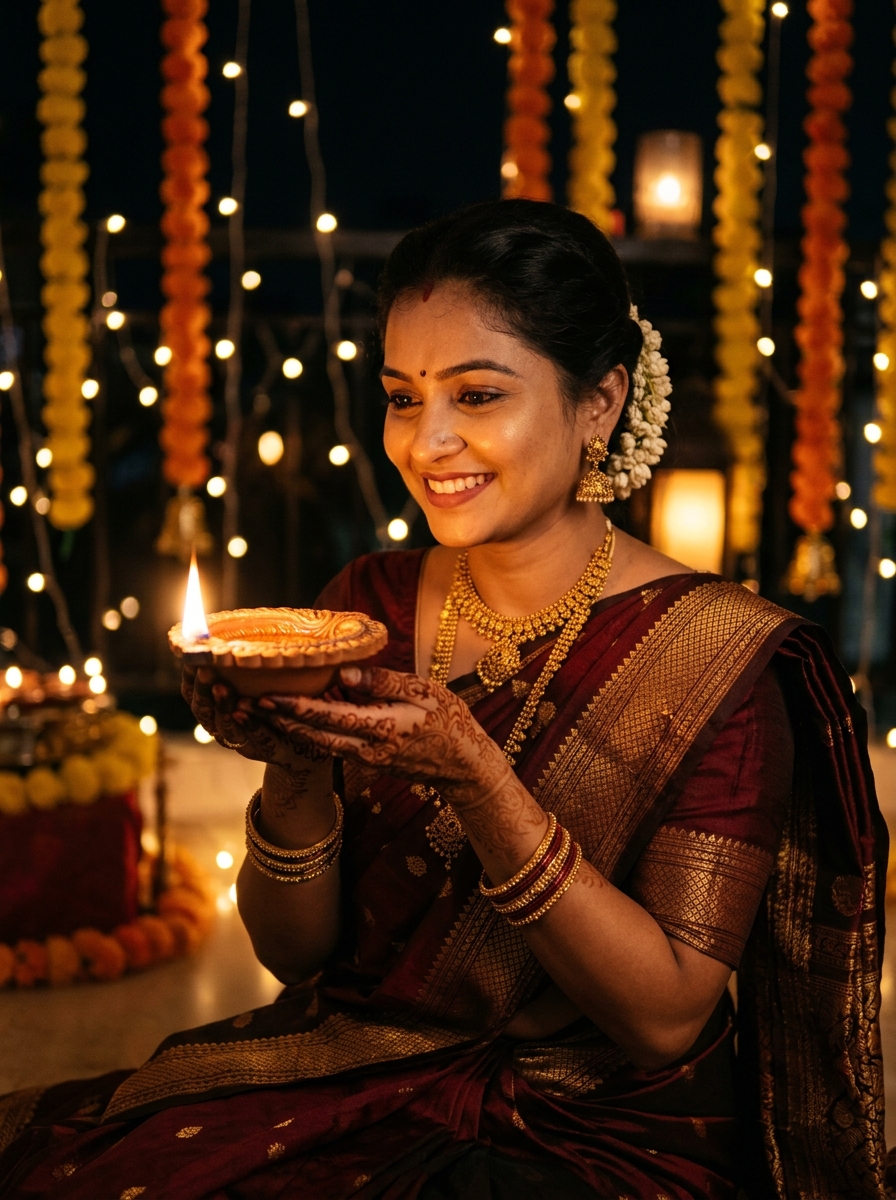
Festival of Lights Diya Portrait
Luxury low-key studio beauty portrait with a single glowing golden diya casting warm reflections across dark eyes, cheekbones, and delicate gold jewelry.
A luxury low-key studio beauty portrait featuring the subject from the uploaded photo with 100% strict facial identity preservation. Retain exact facial bone structure, natural eyes, eyebrows, lip shape, and authentic skin texture without smoothing.
[COMPOSITION & LIGHTING]
Close-up portrait against a deep charcoal-black studio background with subtle warm vignette. The subject holds a single ornate terracotta clay diya with a glowing golden flame at chest level. The warm flickering golden light acts as the primary key light, sculpting the cheekbones, jawline, and casting a luminous golden reflection in the subject's eyes.
[STYLING & ATTIRE]
Elegant traditional ethnic attire in deep maroon and antique gold, accented with delicate gold temple jewelry and a subtle round bindi. Soft focus on dark hair with faint festive marigold bokeh in the deep background.
[CAMERA & REALISM]
85mm f/1.4 macro portrait lens realism, ultra-sharp focus on the eyes and flame, natural skin pores, realistic candlelight shadow falloff. Vertical 3:4 composition. Negative constraints: no distorted flame, no plastic skin, no extra fingers, no low resolution, no watermark.